

Send an announcement
- Web
- Mobile
Navigate to Announcements
From the left-hand navigation, click on Announcements right below Jobsites. Click + Add Announcement to start a new announcement.
Select jobsite and distribution
Choose which jobsite(s) to target and select between SMS or email distribution.
Filter recipients
Narrow down your audience by contractor, trade, language, and jobsite access status. A live recipient count updates as you adjust filters.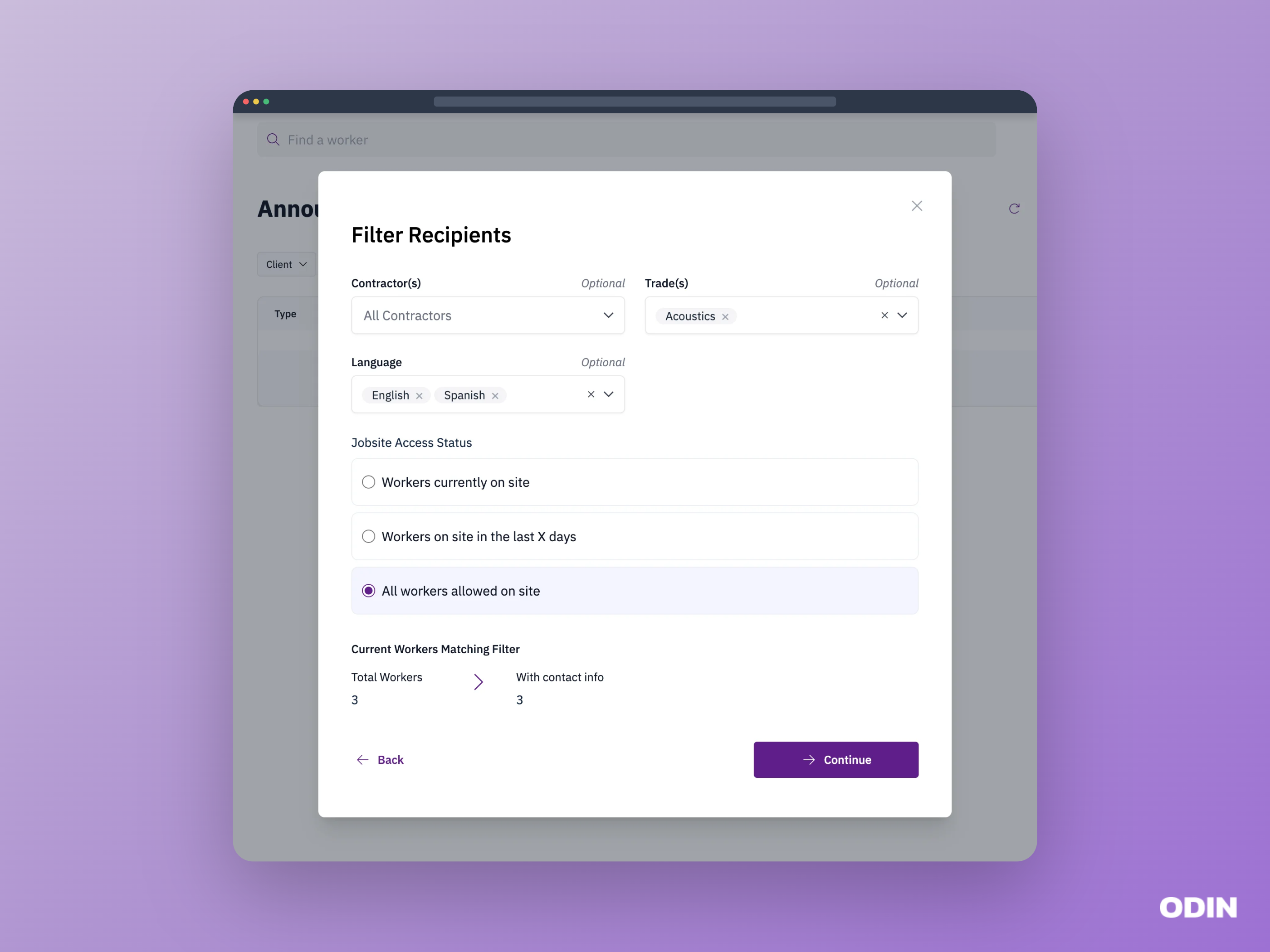
Compose your message
Write your subject and message, and optionally attach up to 5 images. See message limits and image attachments for details.
Review and send
Review your announcement details and choose when to send — immediately or scheduled for a later date and time. See delivery timing for details.
Message limits
Select between SMS and email distribution for your announcement:- SMS - up to 1,500 characters.
- Email - up to 2,000 characters.
Image attachments
You can attach up to 5 images to your announcement. Only image files (e.g. PNG, JPG) are accepted. Attached images will be included in both SMS and email announcements.Delivery timing
Choose when to send your announcement:- Immediate - sends the announcement right away.
- Scheduled - enter a delivery date and time to send the announcement later. Recipient filters will be applied to workers on your jobsite at the time of sending.
Automatically translate announcements
Announcements are automatically translated into each worker’s preferred language. Write your message once in English and every recipient will receive it in the language they selected during onboarding.Filtering options
Narrow down your audience using any combination of the following filters:- Contractor - select one or more contractors to target their workers.
- Trade - filter by one or more trades.
- Language - filter by worker language preference.
- Jobsite access status - choose which workers to reach based on their site access:
- Workers currently on site - only workers who are checked in right now.
- Workers on site in the last X days - workers who have been on site within a number of days you specify.
- All workers allowed on site - every worker with active site access, regardless of current attendance.
A live recipient count updates as you adjust filters, showing how many workers will receive the announcement.