Track onboarding progress
Use the onboarding screen to see all workers who are currently onboarding and those who have already finished.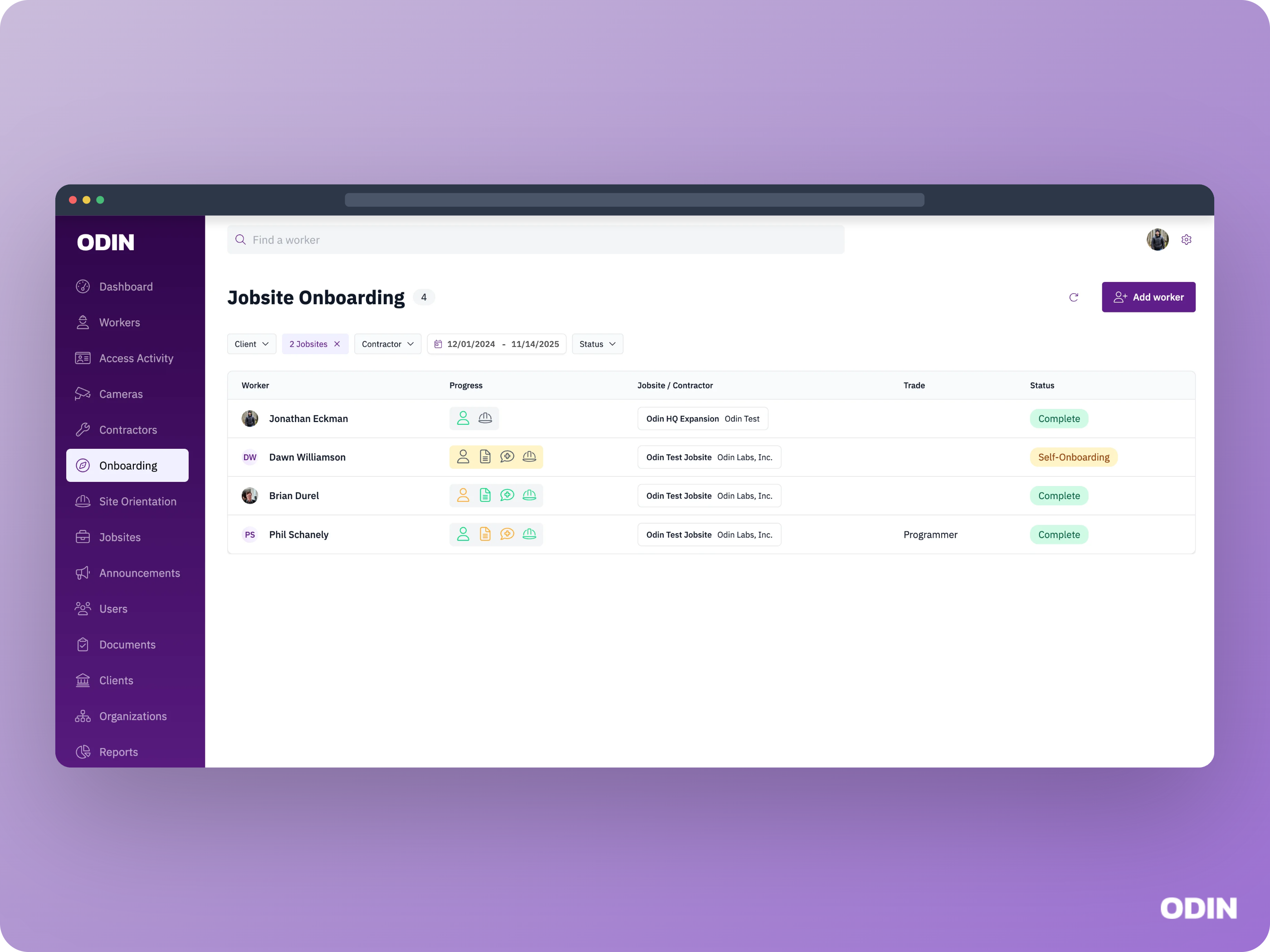
Review and complete an onboarding
After a worker finishes self onboarding, their onboarding appears with a status of Not started in the review screen. To complete onboarding, a jobsite admin must review each section, correct or add additional info the worker did not provide, then click Save.The Save button must be clicked to complete the review of each onboarding section, even if no changes were made.
Review personal information
The Personal information section displays the worker’s personal details such as address, citizenship status, and contractor assignment. Odin admins can configure worker information collection for your jobsite, which will affect the visibility and required or optional status of fields shown in this section.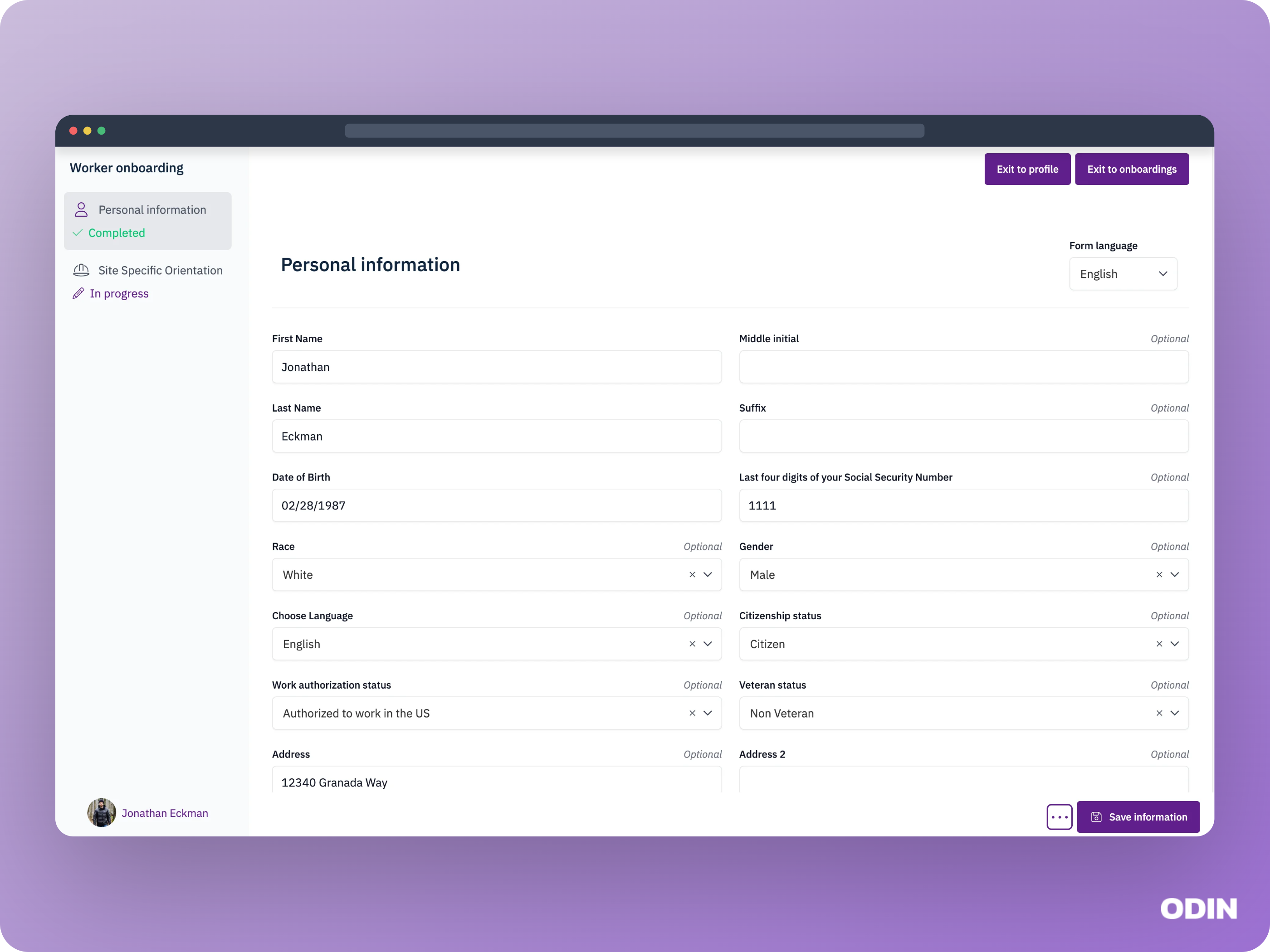
Review onboarding video acknowledgements
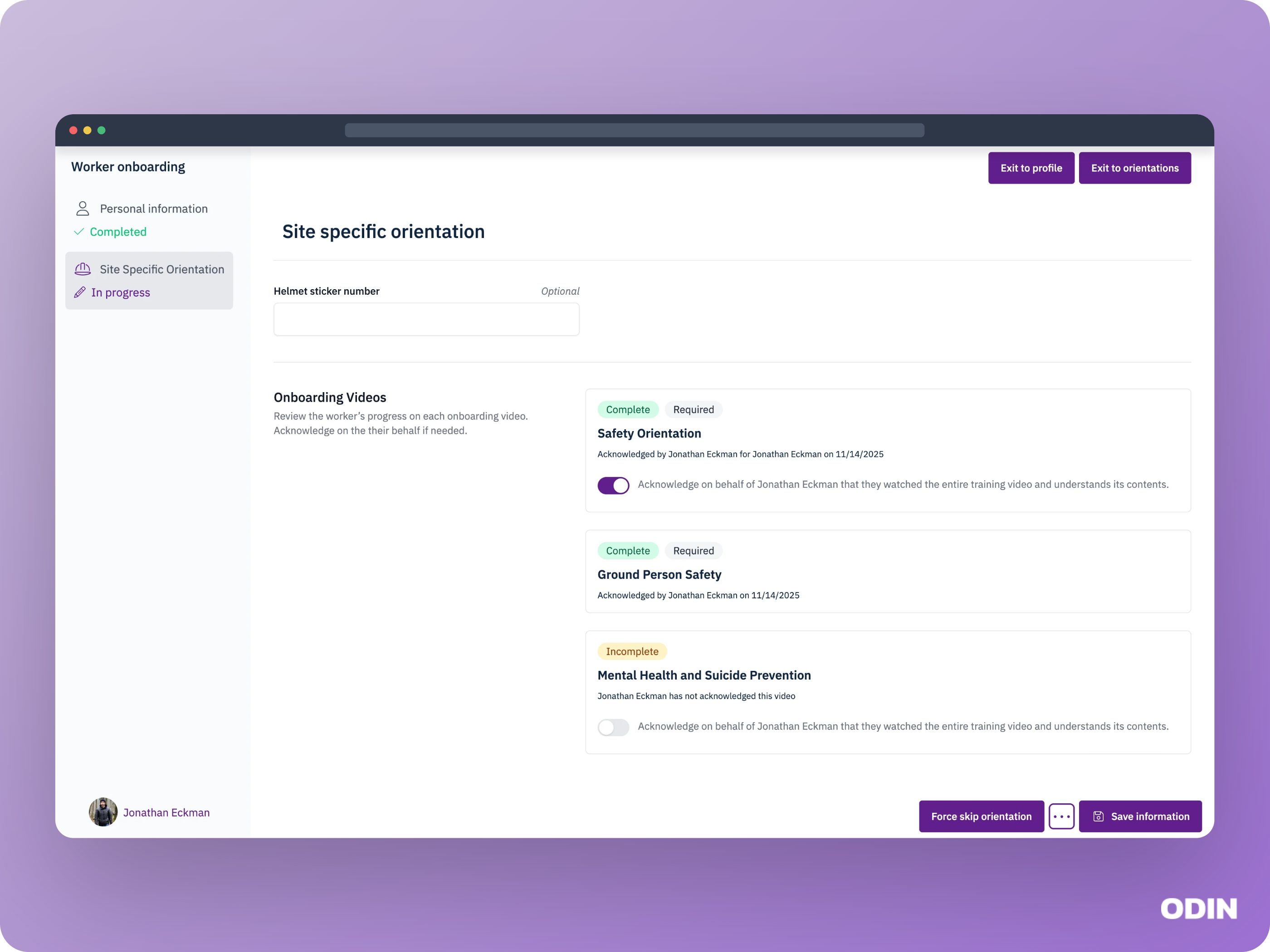
You can see the worker’s acknowledgment status for each onboarding video. An acknowledgment means the worker watched the entire video and confirmed they understand it. You may see the following:- The worker has acknowledged the video. No action is needed.
- The worker has not acknowledged a required video. You can acknowledge it on their behalf to complete onboarding.
- The worker has not acknowledged an optional video. You can acknowledge it on their behalf or leave it as is to complete onboarding.
If you remove your acknowledgement after the worker’s Site Specific Orientation is already marked as Completed, only the acknowledgement record will be updated.
The orientation step will stay Completed and the worker’s site access will not change. You will see a confirmation message if this applies.