

All workers are encouraged to add themselves to a jobsite by scanning the jobsite QR code. Manual assignment requires appropriate permissions.
How to Assign a Worker
Verify onboarding status
Search for the worker’s name or select them from the list. If onboarding is incomplete, a foreman may select Return to self onboarding from the menu to restart the process, or add the worker manually.
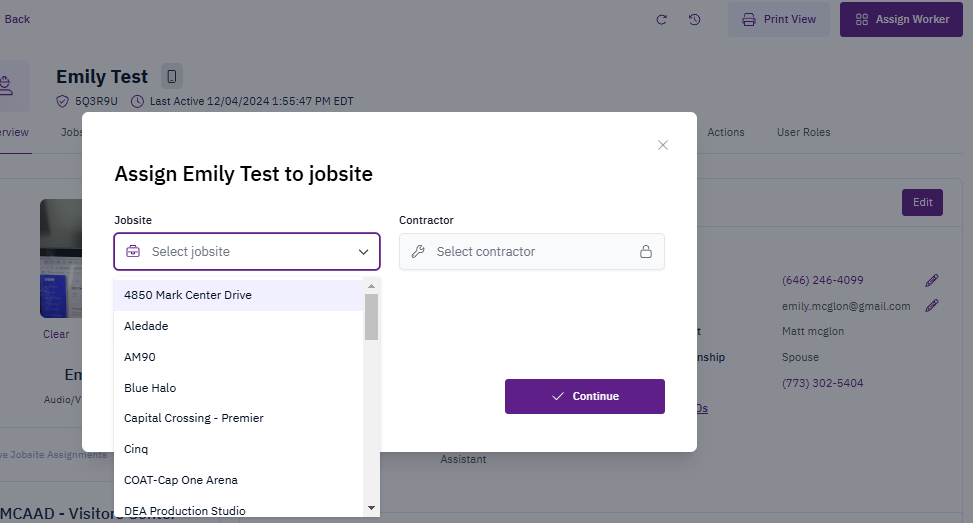
Complete assignment details
- Select the Jobsite from the dropdown
- Select the Contractor from the dropdown
-
Select Continue
Key Points
- All workers are encouraged to add themselves to a jobsite by scanning the jobsite QR code.
- Manual assignment requires appropriate permissions.
- The process requires selection of both jobsite and contractor information.