Overview
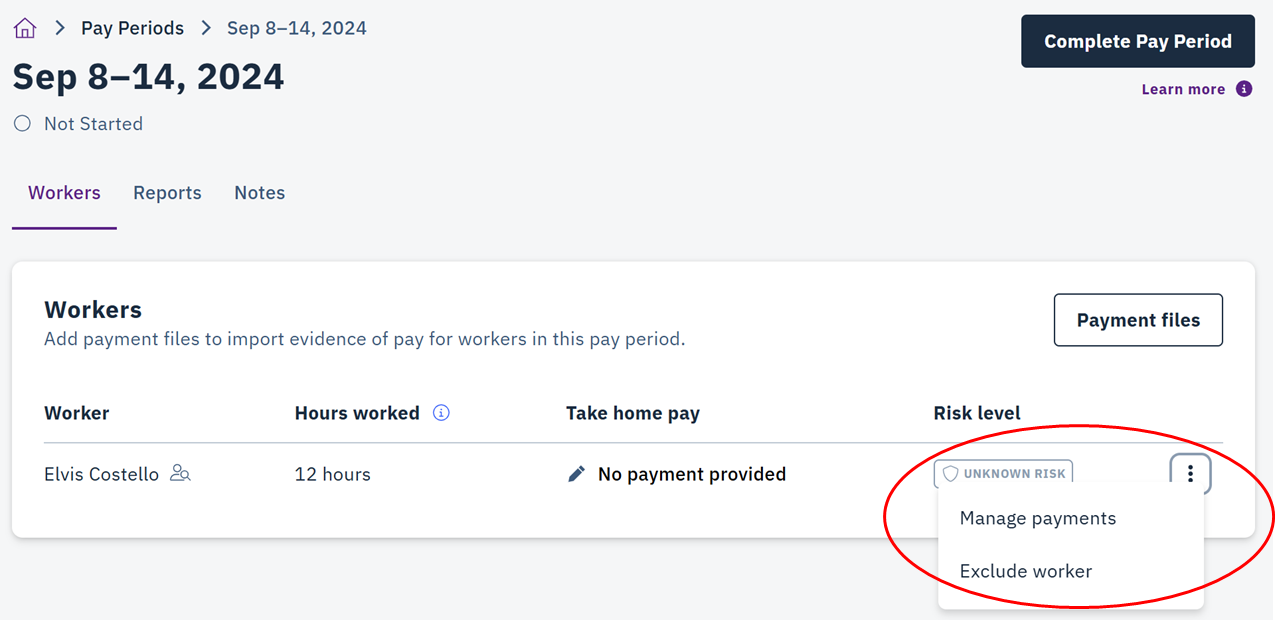
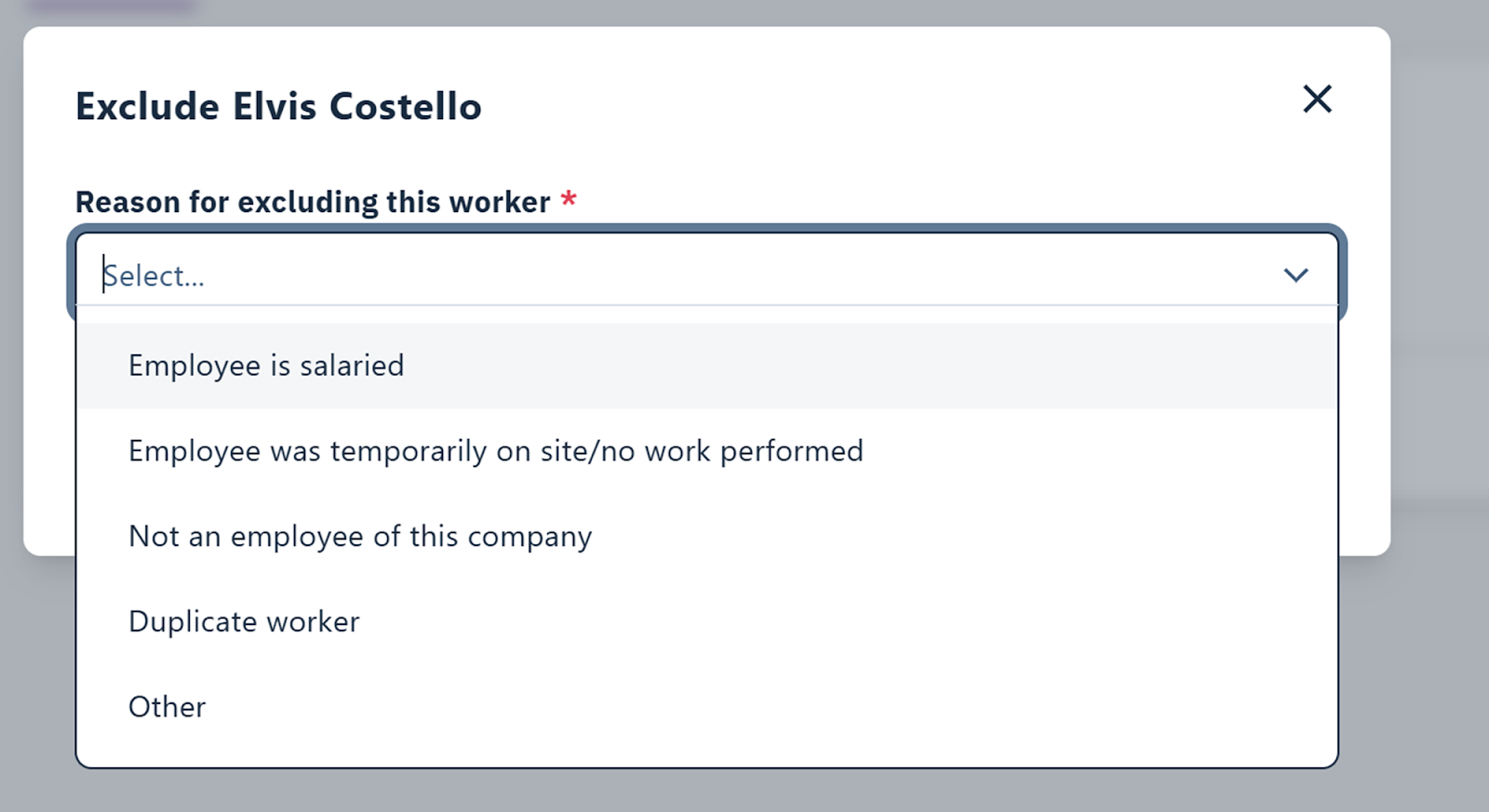
Workers can be excluded from wage assurance risk assessment if they meet certain criteria.Valid Reasons for Exclusion
- Company owners, supervisors, or project managers on salary
- Briefly on site without performing work
- Do not work for your organization
- Duplicate profiles
You cannot exclude workers from companies that your organization hired.