

Before adding a new worker, always search for them first to avoid creating duplicate profiles.
How to Add a Worker
Check for existing records
Search for the worker’s name in the Find Worker field at the top of the page. Before adding a new worker, look them up in the system to see if they already exist. If they are already in the system, you simply need to assign them to a new jobsite. If they are not, continue to add a new worker.
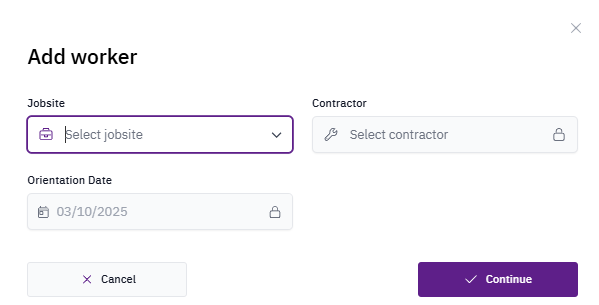
Select Jobsite and Contractor
Choose the appropriate jobsite and contractor from the available options.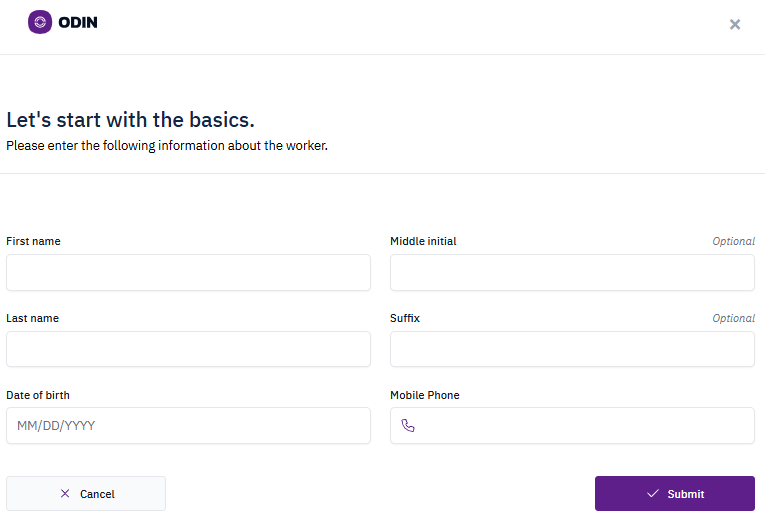
Add basic worker information
Populate basic information about the worker, including: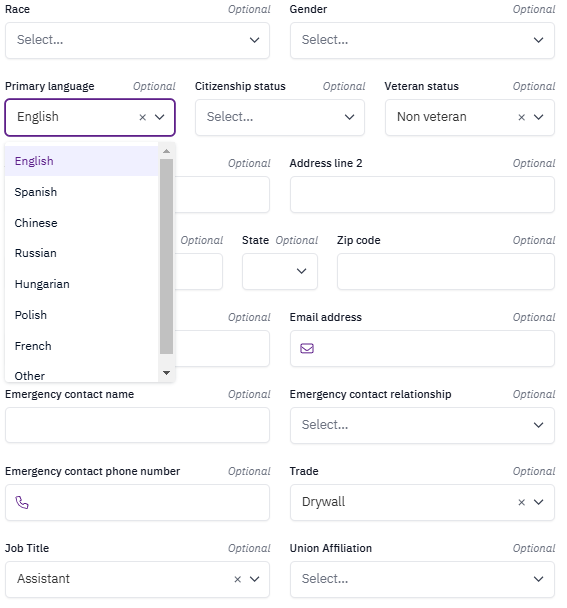
- First and Last Name
- Date of Birth
- Mobile Phone Number
Select worker's preferred language
This ensures any announcements are delivered in the worker’s native language.