Worker Report (Daily Workforce Report)
Navigate to the jobsite home screen and click the Download Report button in the upper right corner.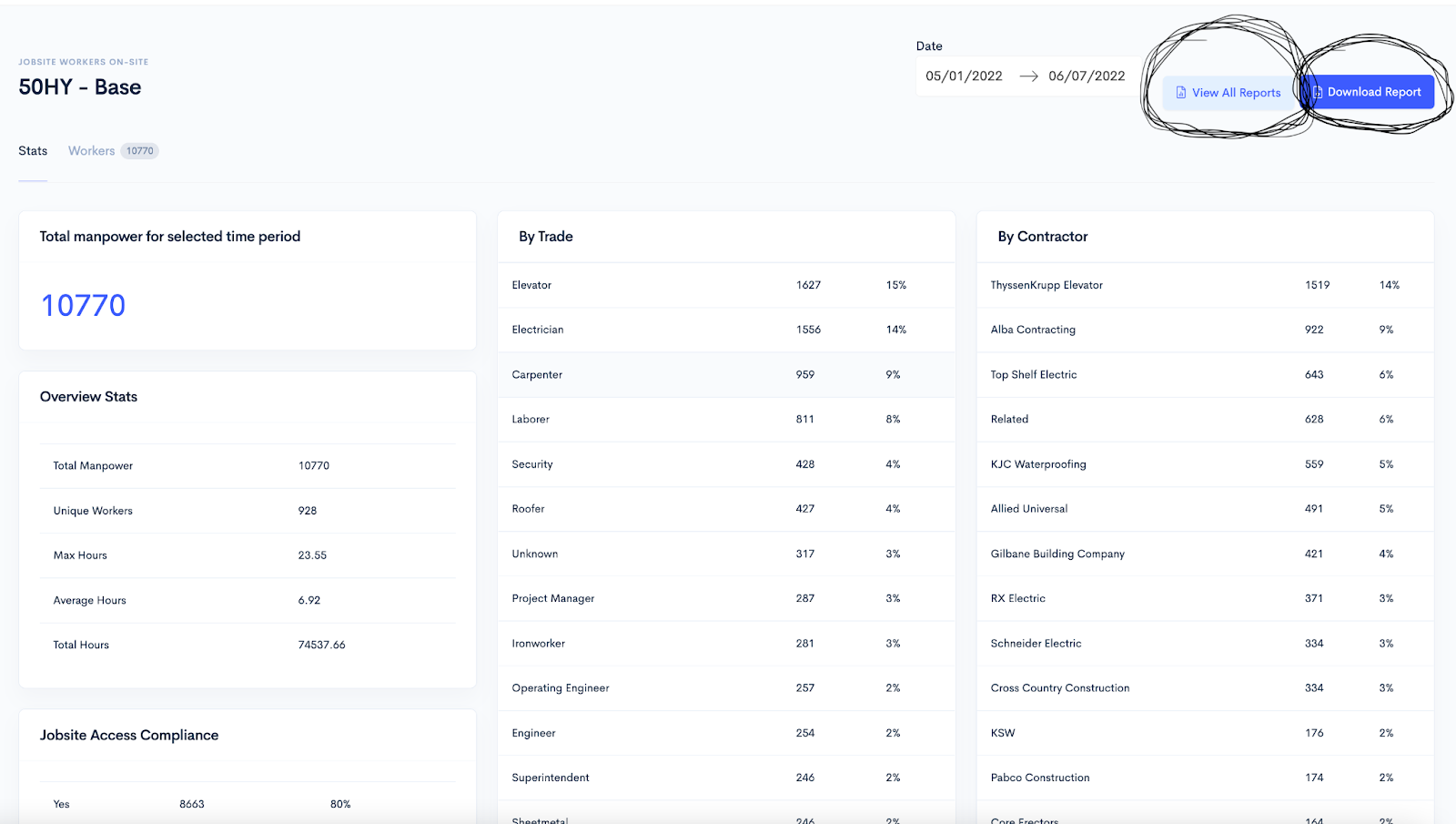
All other reports
From the jobsite home screen, select View All Reports. The following reports are available: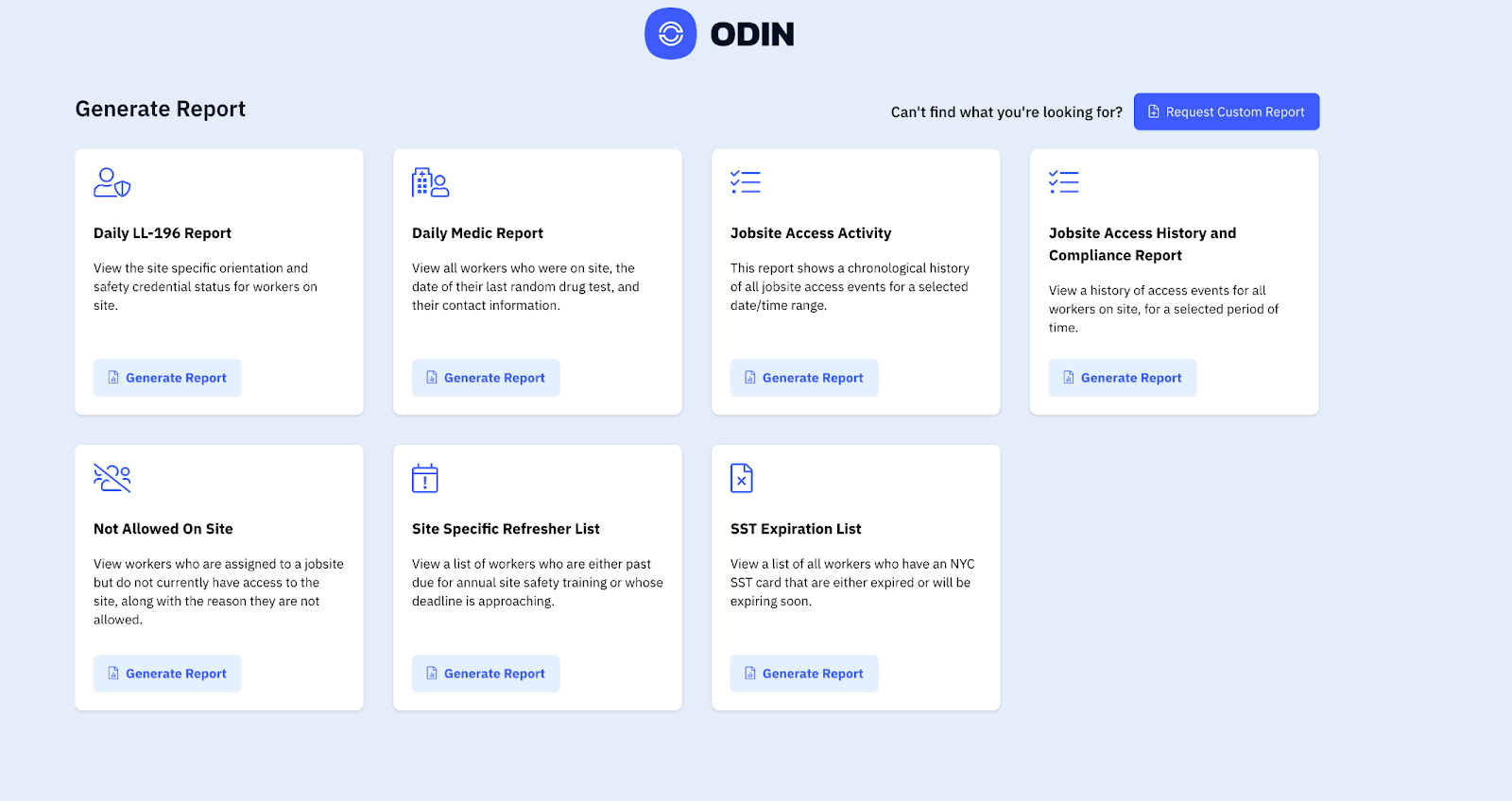
- Daily LL-196 Report — Site-specific orientation and safety credential status.
- Daily Medic Report — All on-site workers, last drug test dates, and contact information.
- Jobsite Access Activity — Chronological history of access events for selected date/time ranges.
- Jobsite Access History and Compliance Report — Access events for all workers over a selected period.
- Not Allowed on Site — Workers assigned but lacking current access, with reasons listed.
- Site Specific Refresher List — Workers past due or approaching deadlines for annual safety training.
- SST Expiration List — NYC SST card holders with expired or expiring credentials.
Custom filtering
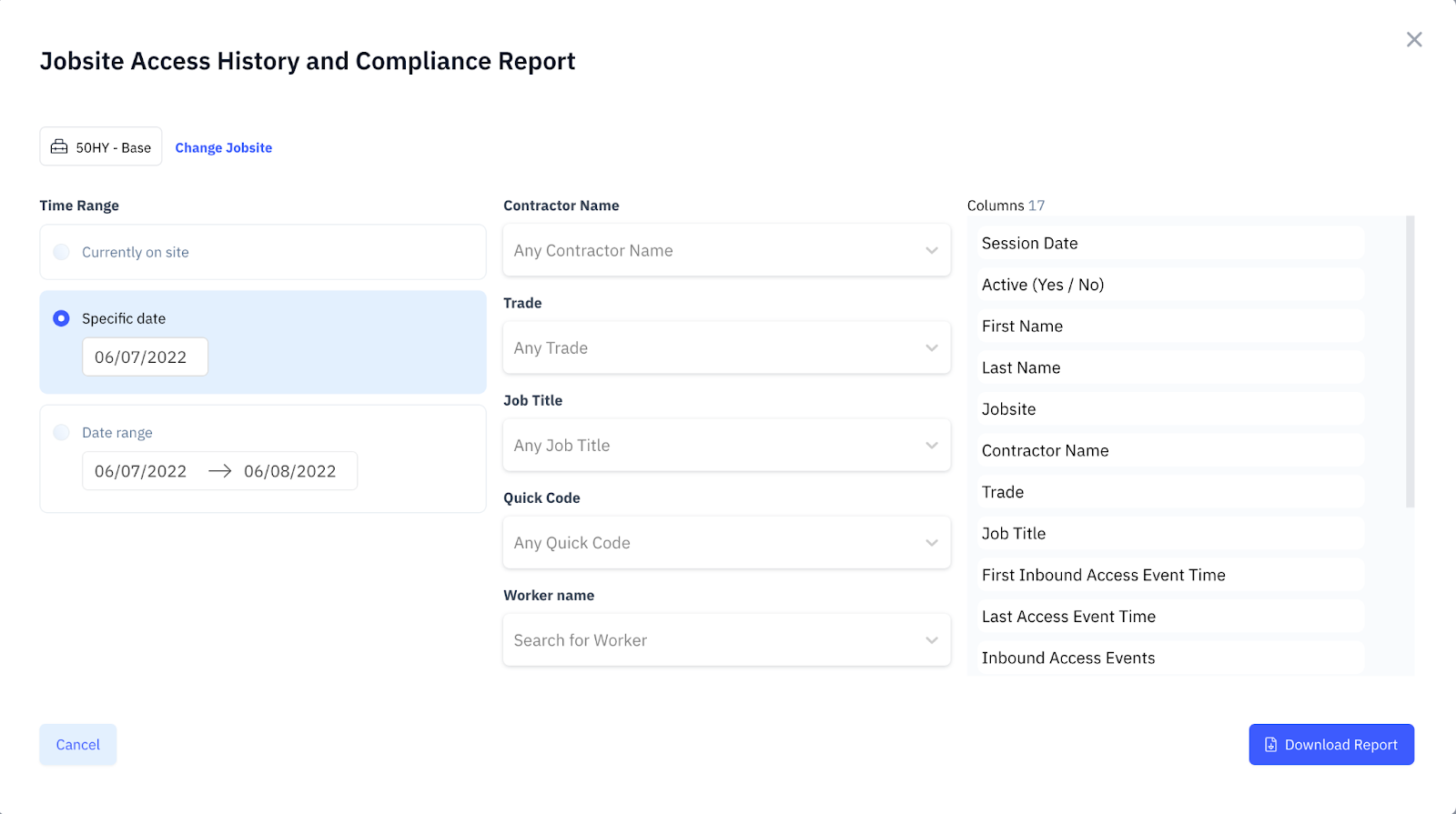
Users can set up filters to narrow report results. Available filters include:- Date range
- Contractor name
- Trade
- Job title
- Quick code
- Worker name
Custom report requests
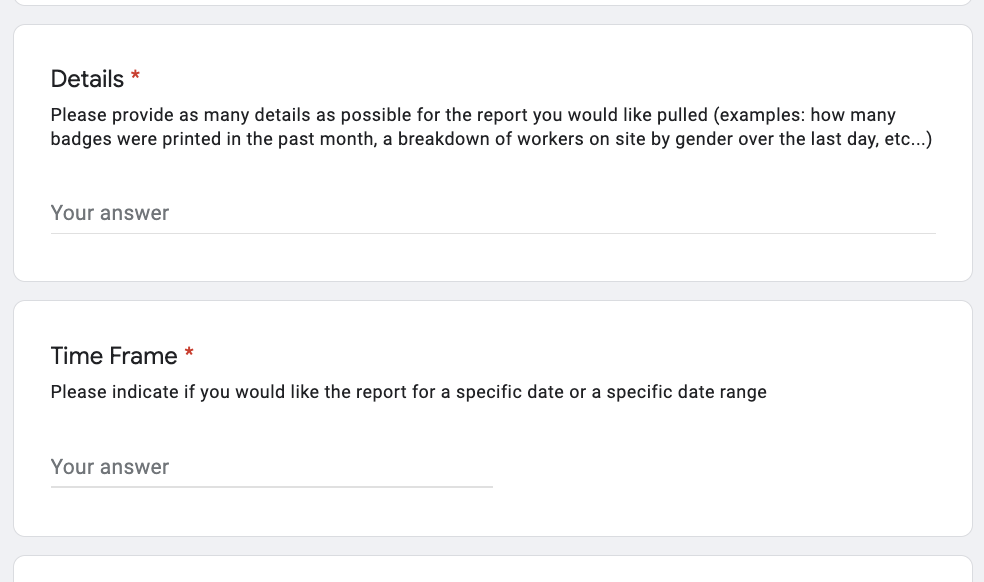
Select the Request Custom Report button to open a form for specialized report requests.