Overview
Once workers have onboarded and downloaded the Odin app, they can clock in and out via the mobile app.
Clocking in
Open the Odin app
Launch the Odin app on your mobile device.
View the jobsite list
Review the list of available jobsites. Jobsites are listed alphabetically.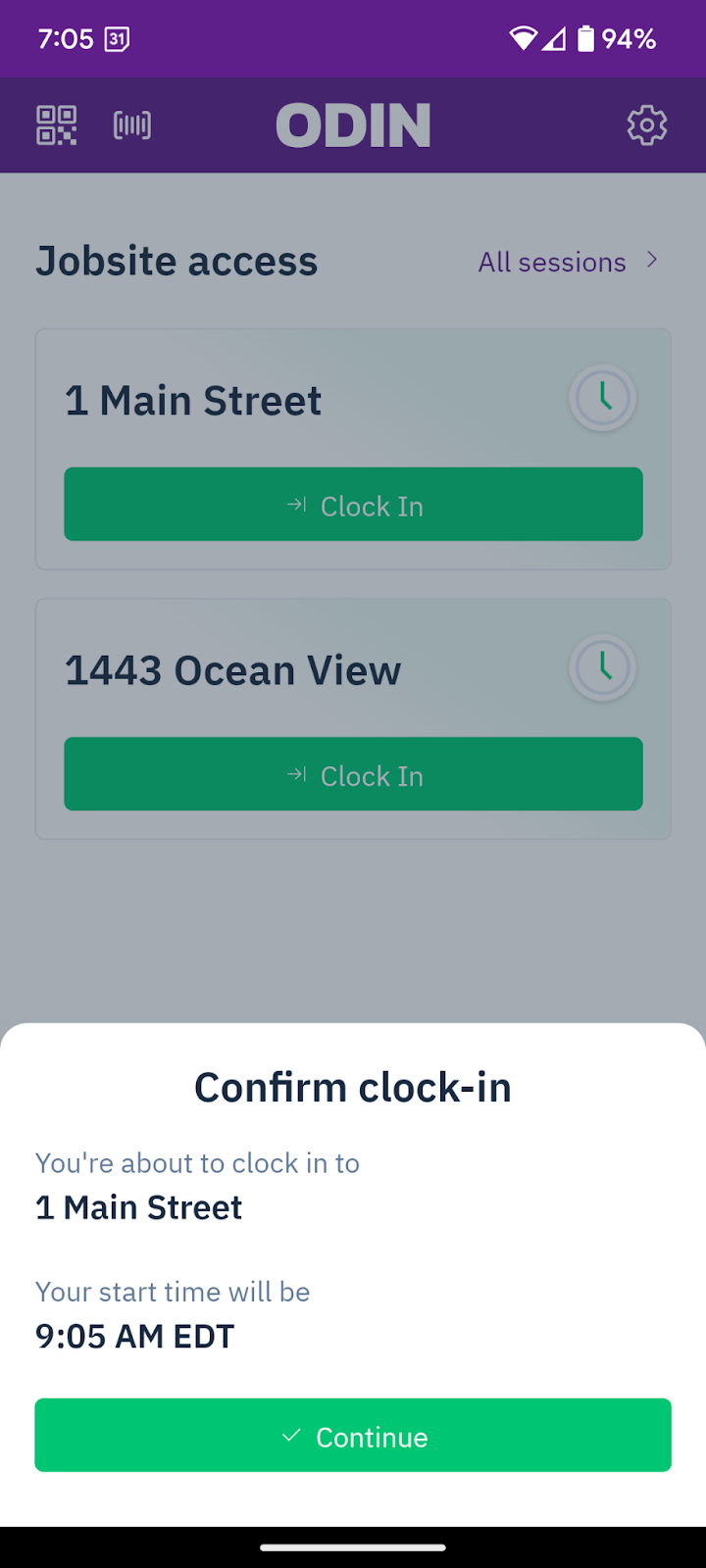
Select a jobsite
Tap the jobsite you want to clock in to.
Clock in
Select + Clock In.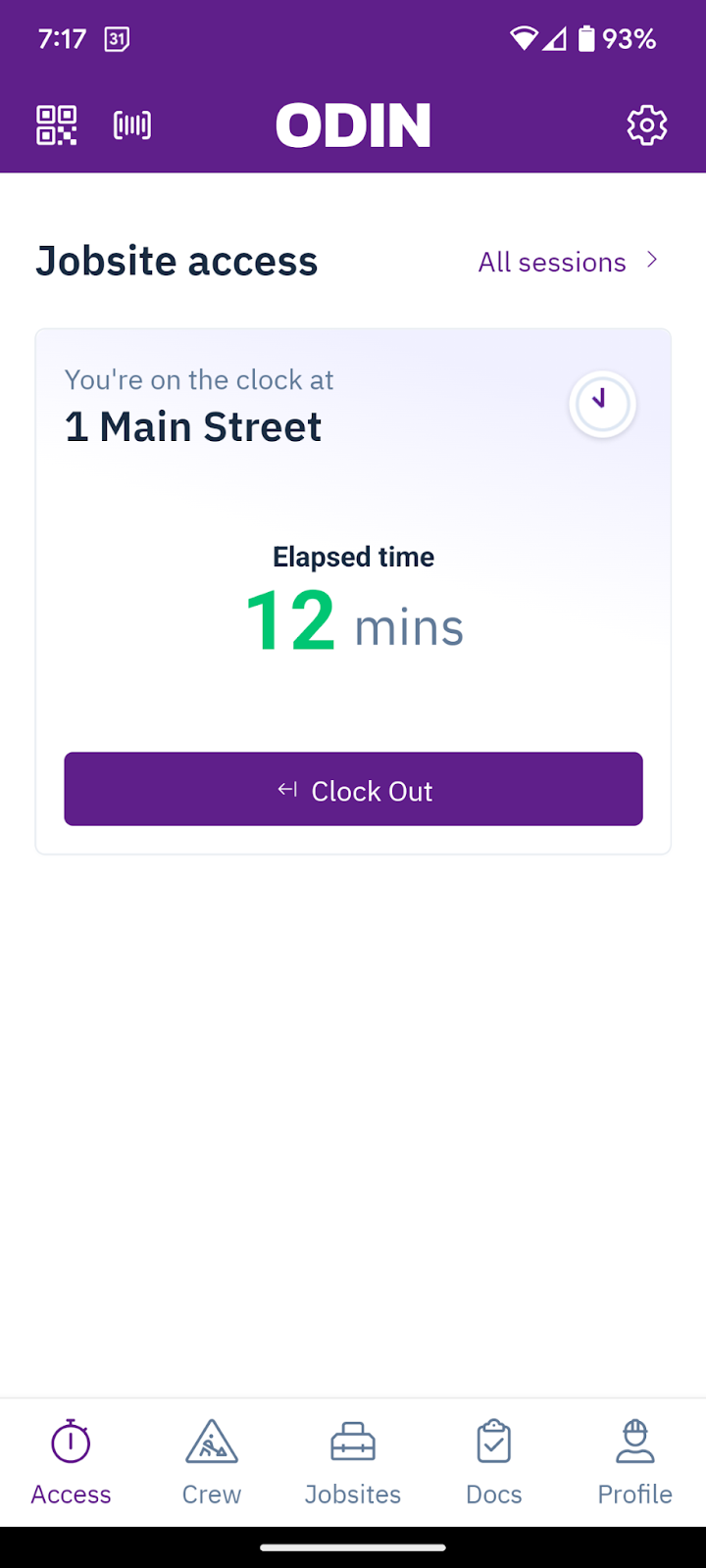
Confirm and continue
Confirm your details and select Continue. The app will display your clocked-in time and duration.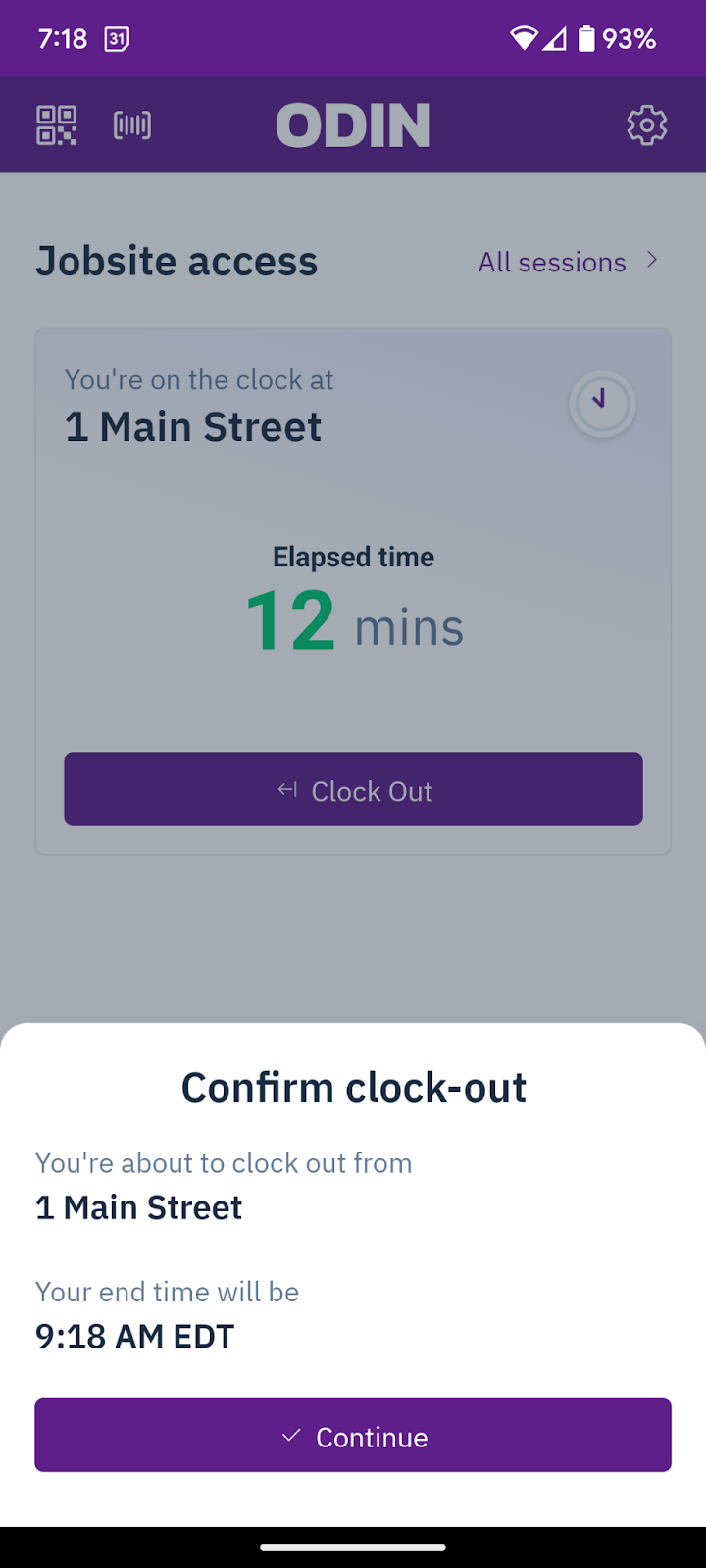
Clocking out
Select Clock Out
From the jobsite screen, select Clock Out.
Confirm and continue
Confirm your details and select Continue.
Workers cannot clock in to a new jobsite if they are still clocked in at another site. A jobsite admin must manually clock them out of the previous site first. If geo-fencing is enabled, the worker cannot clock out unless they are physically on site.

